


Pepper - Recipe Organizer
4.6258.00 Reviews
App Specs
- Version
- 2.39.0
- Updated On
- License
- Free
- Downloads
- 100,000+
- Developer
- Pepper App Inc
- Categories
- Food & Drink
- Platform
- Android
Screenshots
 Analysis by AppCompare
Hey there, fellow foodies! Ever found yourself drowning in a sea of recipe clippings, screenshots, and bookmarked web pages, only to forget where you put that one recipe you loved? Well, you’re in luck because I’ve been diving into the world of Pepper - Recipe Organizer, and let me tell you, it’s a game-changer for anyone who loves to cook or even just pretend they can. Let’s dig in!
Why the first week feels promising
The appeal is easy to understand: recipes tend to arrive from everywhere, and Pepper gives them a shared home. Instead of choosing between a saved post, a browser bookmark, and a note on your phone, you can build a recipe collection you can return to. That shift is most useful when you already cook from several sources and want less rummaging before dinner.
I’d start with a small test collection rather than trying to transfer every recipe you have. Add a few dishes you make often, one you want to try, and perhaps a family recipe you usually keep on paper. That gives you a quick way to see whether Pepper fits your habits without turning setup into a weekend filing project. A recipe organizer only earns its place if finding dinner becomes easier, not if organizing recipes becomes another chore.
For a realistic weeknight, imagine getting home without a plan and remembering a dish you saved weeks ago. If you have already brought it into your collection and added a useful note, you can find it without searching through old messages or browser tabs. The benefit is modest but practical: less time deciding where the recipe is, and more time checking whether you have what it needs.
Getting Started with Pepper
First off, downloading the Pepper - Recipe Organizer was a breeze. Available on both Android and iOS, I had it up and running in no time. The interface is super intuitive, which is a relief because who wants to navigate through a complicated app when you’re trying not to burn dinner?
As a Food & Drink app from Pepper App Inc, it is free to install, with optional in-app purchases ranging from $3.99 to $89.99 per item. It has a 4.7 average from around 1.6 thousand ratings, and more than 100 thousand installs. Those figures suggest that plenty of people have found a reason to try it, but I’d still judge it by whether its social side and organizing tools suit the way you actually cook. It is rated Teen, so it may not be the right pick for a younger child’s independent use.
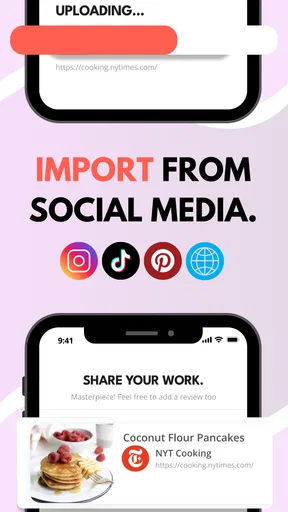
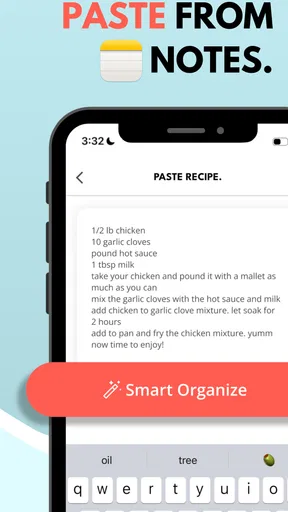
When you open the app, you’re greeted with a clean, attractive design. It’s like a virtual kitchen that’s always organized, unlike my real one. You can import recipes from websites, snap photos of your grandmother’s handwritten notes, or even jot down your own culinary creations. Talk about flexibility!
Worth Reading Before You Choose

Flipboard Shows What News Apps Must Do Beyond the Feed

Switching to Android Auto Means Rethinking Your Driving Routine

Google Calendar Makes a Crowded Week Easier to Manage

Ludo King Makes the Most of the Minutes Between Plans

Baby Panda World Brings Quick Play to Modern Phones, but Its Game Library Feels Busy

ESPN’s Live Game View Makes Following Close Games Easier
Organizing Your Culinary World
Let’s talk organization. Pepper lets you categorize your recipes by meal type, cuisine, or even by those weird ingredients you never know what to do with. I loved the search function—it’s so easy to find that one lasagna recipe I swear by or the new vegan dish I’m dying to try. Plus, you can tag recipes, which makes it super simple to plan meals for the week or find something fast when you’re hangry.
A useful habit is to make tags answer the question you’ll ask later. “Quick,” “freezer-friendly,” or “use up spinach” can be more actionable than a broad label like “dinner,” especially if you already sort meals by type. Keep the system light: a handful of tags you recognize at a glance is easier to maintain than an elaborate taxonomy you have to remember while cooking.
And here’s something cool: you can rate your recipes, and even leave notes. So, next time you whip up that spicy curry, you’ll remember to dial it back on the chili flakes unless you’re in the mood to breathe fire.
Those notes are most valuable when they capture a decision you would otherwise forget: whether the sauce needed more time, which pan worked, or what you changed for a smaller meal. I’d treat them as quick cooking reminders rather than a full diary. That keeps each recipe useful without making every dinner feel like a documentation task.
Sharing and Discovering New Flavors
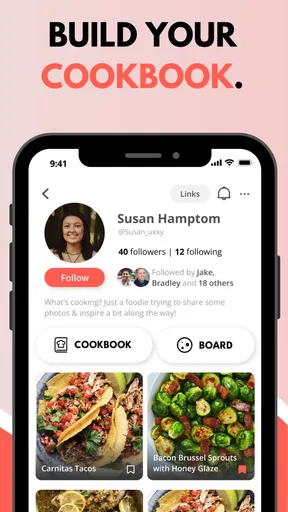
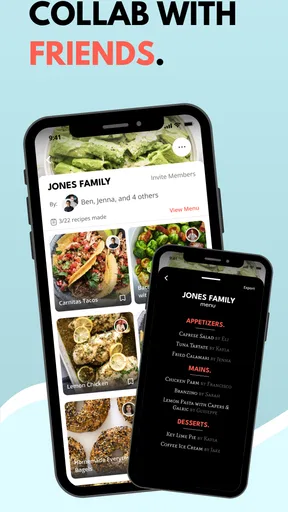
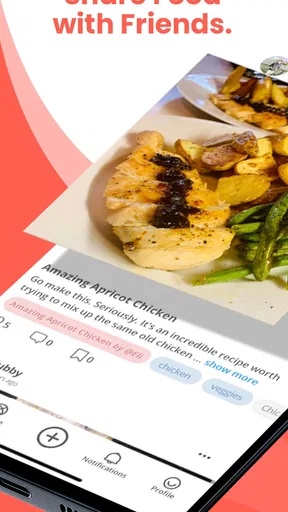
Pepper isn’t just about stashing your own recipes. It’s also a social platform for food lovers. You can share your recipes with friends or the Pepper community, and discover new ones to try out. I found a killer chocolate cake recipe from another user that’s now my go-to for birthdays. You can also follow chefs and fellow foodies to keep your recipe box fresh and exciting.
This social layer changes the trade-off compared with a plain notes app or a folder of bookmarks. A private collection is better if you only want a searchable archive and have no interest in seeing what other cooks are sharing. Pepper makes more sense when recommendations from people can prompt you to cook something new. I’d still be selective: save recipes that match your tastes and routine instead of treating a growing feed as a to-do list.
For a household, sharing can help bridge the gap between the person who finds recipes and the person who shops or cooks. Before relying on that workflow, it is worth agreeing on a simple convention: which recipes are tried-and-true, which are only ideas, and who is responsible for adding changes. The app can help keep cooking inspiration in one place, but it cannot decide which dish the family will actually make.
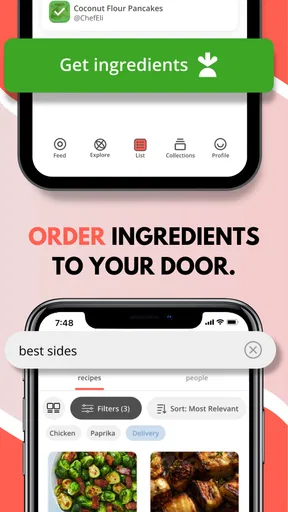
Plus, there’s a handy shopping list feature. No more scribbling ingredients on random scraps of paper that you end up leaving at home. You can add ingredients directly from your recipes to a shopping list, making grocery runs a lot more efficient. The app even organizes your list by store aisle. Genius, right?
For the best results, I’d build the list after choosing the recipes, then check what is already in the cupboard before heading out. Recipe-based lists are a strong starting point, not a substitute for that last pantry check: you may have an ingredient on hand, or need a quantity that fits how you plan to cook. This small step helps avoid buying duplicates and makes the feature more useful during a quick grocery stop.
Cooking with Pepper
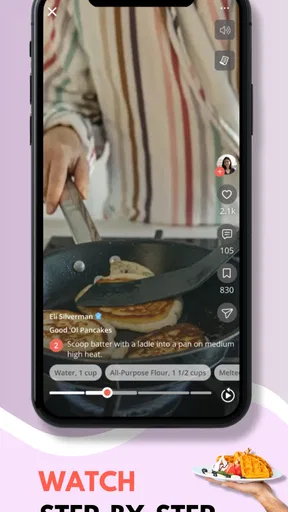
When it’s time to cook, Pepper has your back. Each recipe comes with a step-by-step guide and a timer for those tricky parts that require precision. I love how I can adjust serving sizes, and the ingredients list updates automatically. Perfect for those unexpected dinner guests or for meal prep Sundays.
Scaling a recipe is especially handy when you are cooking for a different number of people, but I would still use judgment with ingredients that do not scale neatly. Seasonings and strong flavors can need a final taste-and-adjust rather than a blind multiplication. That is not a flaw unique to Pepper; it is simply a reminder that an adjusted list is a planning aid, while your palate still makes the last call.
The step-by-step format is most helpful when a recipe has several stages and you do not want to keep scrolling between the method and ingredients. Timers can also reduce the mental juggling during a busy meal, although I would not treat an app timer as a replacement for checking the food itself. A simmer, bake, or rest can behave differently in a real kitchen than a written estimate suggests.
The app syncs across devices, so whether I’m on my tablet in the kitchen or my phone at the store, I have access to everything. It’s like having a personal sous-chef who’s always ready to help.
Cross-device access is useful when the recipe work happens in stages: browsing at home, shopping on the phone, then cooking from a larger screen. If you use more than one device, it is sensible to check that the collection is available where you need it before relying on it for a time-sensitive meal. For someone who cooks from a single phone and rarely switches devices, this convenience may matter less than the app’s search and recipe-sharing experience.
Will it stay useful after the novelty?
The longer-term question is whether you will keep adding recipes and returning to them. Pepper has recurring value when it becomes part of a simple loop: save a promising dish, cook it, leave a brief note, and decide whether it belongs in your regular rotation. That loop turns a collection into a practical record of what works for you, rather than a pile of attractive possibilities.
There is also a maintenance cost. Recipes from different sources may need tidying, tags can become inconsistent, and a saved dish you never intend to cook can make searching less focused. I would set aside a few minutes occasionally to remove duplicates or mark the recipes you genuinely use. If you dislike maintaining any personal collection, a small set of reliable bookmarks or a handwritten notebook may feel more natural.
Another source of fatigue is the gap between browsing and cooking. Social discovery can be energizing at first, but following more cooks and saving every tempting idea can create a backlog. I’d make a rule for myself: only save a recipe if I can picture when I might make it, and choose one new dish at a time for the coming week. That keeps discovery connected to meals rather than turning it into another endless feed.
For people who prefer a highly private, bare-bones recipe archive, the social emphasis may feel unnecessary. Someone who wants nutritional tracking, detailed pantry inventory, or a rigid meal calendar may also be better served by a tool built specifically around those needs. Pepper’s strongest case is for cooks who want recipes, personal adjustments, and inspiration from other people to live together.
Final Thoughts on Pepper
After spending some quality time with Pepper, I can honestly say it’s become an essential tool in my cooking life. It’s like having a culinary assistant who not only organizes my recipes but inspires me to try new things and makes meal planning a breeze. Whether you’re a seasoned chef or just starting out, this app is worth a spot on your device.
Its current version is 2.29.0, and it runs on Android 8.0 or later. That makes it a reasonable option for people using compatible Android devices, while the iOS version also gives Apple users a way into the same cooking-focused idea. I would not choose it simply because the rating is strong; I’d choose it if I wanted recipe organization with a community angle and expected to use the collection repeatedly.
So, if you’re tired of your recipe chaos and want to bring some order (and fun) to your kitchen, give Pepper a try. You’ll wonder how you ever cooked without it!
Pros
- User-friendly interface for easy navigation.
- Syncs recipes across multiple devices.
- Allows recipe customization and notes.
- Supports diverse dietary preferences.
- Offline access to saved recipes.
Cons
- Limited free version features.
- No integrated meal planning tools.
- Lacks a grocery list feature.
- Occasional sync delays reported.
- Advertisements in the free version.
FAQs for Pepper - Recipe Organizer
What features does Pepper - Recipe Organizer offer to help manage my recipes?
Pepper - Recipe Organizer provides a comprehensive set of features for managing your culinary collection. You can easily input, categorize, and search for recipes. The app also allows you to add notes, adjust serving sizes, and create shopping lists directly from your recipes, making meal prep more efficient.
Can I import recipes from other sources into the Pepper app?
Yes, Pepper allows you to import recipes from various online sources. With its web clipper feature, you can easily save recipes from websites directly into the app, ensuring your favorite dishes are always at your fingertips without the need to manually enter each one.
Is Pepper - Recipe Organizer available for both Android and iOS devices?
Pepper - Recipe Organizer is available for both Android and iOS platforms, ensuring you have access to your recipes on any device. This cross-platform functionality allows for seamless synchronization between your smartphone and tablet, keeping your culinary data up-to-date and accessible.
Does Pepper offer any features for sharing recipes with friends or family?
Absolutely, Pepper makes it simple to share your favorite recipes with others. You can send recipes via email, text, or through social media platforms directly from the app. This feature is perfect for collaborating with friends or sharing family favorites with loved ones.
Are there any in-app purchases or subscriptions required to use Pepper fully?
While Pepper offers a robust free version, there are optional in-app purchases and subscriptions that unlock additional features. These may include advanced organization tools, premium themes, or expanded storage options, allowing you to tailor the app to your specific needs and preferences.


